AI Workflow for YouTube Shorts: Script to Upload Fast

AI Workflow for YouTube Shorts: From Idea to Upload With Scripts, Visuals, Automation, and a Growth Loop
A repeatable workflow makes Shorts faster to produce, easier to improve, and less dependent on inspiration. When each upload follows the same production line—ideation, scripting, visuals, editing, publishing, and iteration—quality stays high, time per video drops, and results become measurable instead of mysterious.
What a “workflow” means for Shorts (and why it matters)
A Shorts workflow is the repeatable system behind every post. Instead of reinventing the process each time, treat every Short as a sequence: hook → value/payoff → loop/CTA → metadata → feedback. That structure reduces tool-hopping and decision fatigue, and it makes it easier to hand work off to a teammate.
The biggest advantage is reuse. Hook templates, caption styles, thumbnail frames, sound beds, and a small B-roll library create “building blocks” that speed up production without making videos feel copy-pasted. Add simple checkpoints—like “Does the first second make sense on mute?”—to prevent common failures: a weak opening, an unclear payoff, hard-to-read captions, or inconsistent posting.
Step 1: Pick a topic that can win in under 30 seconds
Shorts perform best when the idea is small enough to land fast. Start with audience problems, curiosities, and “tiny wins” that fit one clear takeaway. Then translate a broad topic into a micro-promise such as “Do X in 10 seconds” or “Fix Y with one setting.”
Reliable idea sources include comment sections, YouTube search suggestions, creator Q&As, community posts, and trend pages. For trend validation, tools like Google Trends can help confirm whether interest is rising or fading.
Finally, maintain a simple backlog (spreadsheet or notes app) with tags like topic, format, difficulty, and asset needs. That makes batching realistic: you can script ten at once, then edit ten at once.
| Filter | Good sign | Warning sign |
|---|---|---|
| One-sentence promise | Viewer can repeat it back | Multiple promises or unclear outcome |
| Visual clarity | Can be shown on-screen fast | Requires long explanation |
| Rewatch potential | Checklist, steps, or surprise | Linear story with no loop |
| Production effort | Uses reusable assets | Needs new filming every time |
Step 2: Script for retention—hook, pacing, and the loop
Your script is an editing blueprint. Write the first line to be instantly understandable without channel context. If the viewer can’t “get it” in a split second, swipe risk spikes.
A tight structure helps maintain momentum:
- Pattern interrupt: a surprising visual or statement
- Promise: what they’ll get if they keep watching
- Proof/demo: show it working, not just talking about it
- Payoff: the result or takeaway
- Loop: an ending that naturally connects back to the start
Keep sentences short for captions, favor concrete verbs, and use numbers where they clarify (“3 taps,” “15 seconds,” “one setting”). Add visual cues inside the script (zoom, screenshot, on-screen text) so the edit has direction. End with a soft action—“save this,” “try it,” or “comment your result”—instead of a long outro that drains retention.
Step 3: Generate visuals and voice without losing consistency
Consistency is what makes a channel feel real, even when you’re moving fast. Pick a visual system you can repeat: a font pair, a small color palette, caption placement, and simple motion rules (for example, one style of emphasis highlight and one style of zoom).
Choose a repeatable format that fits your niche and time:
Step 4: Edit for mobile—readability, cuts, and sound
| Element | Target | Quick test |
|---|---|---|
| First second | Immediate context + curiosity | Muted autoplay still makes sense |
| Captions | Readable in 1 glance | Screenshot the frame and read it quickly |
| Pacing | No dead air | Watch at 1x and count slow beats |
| Payoff | Clear result | Viewer can summarize in one sentence |
| Loop | End connects to start | Rewatch feels natural, not forced |
Step 5: Publish with a simple system (titles, posting rhythm, and batching)
Batching is the unlock: plan 10 ideas → script 10 → create assets → edit 10 → schedule uploads. Choose a weekly cadence you can maintain; consistency usually beats occasional bursts. For official publishing mechanics and requirements, reference YouTube Help Center — Create Shorts and the YouTube Creators — Shorts hub.
Step 6: Turn performance into a growth loop
Tools and resources that pair well with this workflow
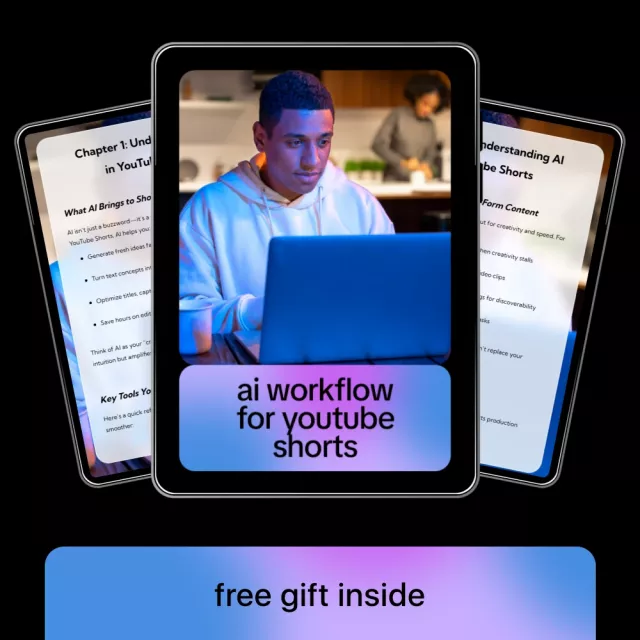
- AI Workflow for YouTube Shorts – Step-by-Step Ebook for Creating Viral Short-Form Videos with AI Tools, Scripts, Visuals, Automation & Growth Strategy (templates, checklists, and a structured production line)
- SG109 Max 2 4K FPV Camera Drone with 3-Axis Gimbal & Obstacle Avoidance (optional for creators who want stabilized aerial B-roll for hooks and transitions)
Who this workflow is best for
Step-by-step ebook option: a structured, reusable production line
If the goal is to reduce decision fatigue, a guided workflow can make each stage faster: scripting that’s built for captions, asset kits that stay consistent, automation for repetitive steps, and a simple feedback loop for iteration. For a plug-and-play system designed for batching multiple Shorts in one sitting, see the AI Workflow for YouTube Shorts – Step-by-Step Ebook.
FAQ
How long should a YouTube Short be for the best chance of strong retention?
Keep it only as long as needed to deliver one clear payoff; many strong performers land around 15–35 seconds. The first second, fast pacing, and a natural loop typically matter more than hitting a specific duration.
Can Shorts be made without showing your face?
Yes—screen recordings, captions-driven explainers, stock/B-roll, simple animations, and text-on-screen formats work well. Consistent styling and clear on-screen cues usually matter more than being on camera.
What should be automated vs. done manually in a Shorts workflow?
Automate repetitive steps like asset organization, templated captions, export presets, scheduling, and performance logging. Keep creative decisions manual—topic angle, hook wording, proof/demo selection, and final pacing—to protect clarity and authenticity.















Leave a comment