AI Voiceovers Made Easy: Script, Edit & Mix Faster
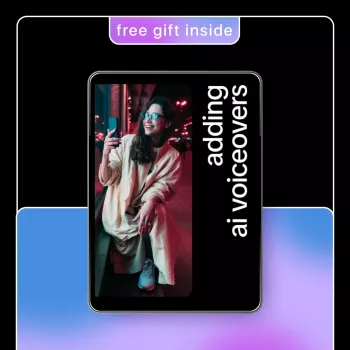
Adding AI Voiceovers: A Practical Guide for Creators, Marketers, and Educators
AI voiceovers can turn scripts into clean narration quickly—useful for videos, ads, lessons, product demos, and internal training. The key is choosing the right voice, preparing a speakable script, and polishing audio so it sounds natural and consistent across platforms. With a repeatable workflow, you can produce reliable narration on tight timelines without sacrificing clarity or brand tone.
What AI voiceovers are (and when they work best)
AI voiceovers are text-to-speech narrations generated from written scripts. Many modern tools let you adjust tone, pacing, and emphasis, making it easier to match the feel of a tutorial, a marketing spot, or an onboarding module.
They work especially well for explainers, course lessons, social clips, onboarding videos, podcasts with limited dialogue, and multilingual versions where consistency matters. They’re less ideal for highly emotional acting, fast back-and-forth conversations, or content that needs real-time improvisation.
The most successful projects start by defining a few basics up front: where the audio will live (YouTube, TikTok, LMS, a landing page), who it’s for, what “vibe” you want (friendly, authoritative, energetic), and how fast you need the final output. Clear goals prevent endless re-renders and help you choose the right voice and editing approach.
A repeatable workflow: from script to finished voice track
Step 1: Draft a voiceover script designed for listening
Write short sentences, use clear transitions, and cut jargon where possible. Voiceover is closer to conversation than copywriting for a page—clarity beats cleverness, especially on phones.
Step 2: Select voice style and set pacing targets
Choose age, accent, energy, and formality based on the content. Set a rough pace target (words per minute) and keep it consistent across a series—steady pacing is a big part of “professional” sound.
Step 3: Generate a first pass, then revise the script first
When something sounds off, fix the text before over-tweaking audio settings. Small changes—breaking a sentence in two, swapping a tricky word, adding a pause—often solve “robotic” delivery faster than adjusting sliders.
Step 4: Export high quality, then edit for timing and consistency
Export in WAV when available for a clean master. Then tighten timing, remove awkward gaps, and ensure the cadence matches on-screen visuals. Save your master track and create compressed versions (MP3/AAC) for different platforms.
Step 5: Mix with background music carefully
Keep narration intelligible on laptop speakers and mobile. If music is competing with the voice, lower it, simplify it, or choose a track with less midrange energy where speech lives.
AI voiceover tool options at a glance
Most setups fall into three buckets: (1) text-to-speech platforms for fast, consistent narration, (2) custom voices/voice cloning for brand continuity (with permissions and governance), and (3) built-in editors that help align voiceover to slides or timelines. When deciding, focus on naturalness, pronunciation controls, commercial licensing, supported languages, export quality, and how easily you can revise.
| Use case | Recommended approach | What to prioritize | Common pitfall to avoid |
|---|---|---|---|
| Short-form social videos | Fast TTS + light editing | Energy, clarity, quick revisions | Overly robotic pacing |
| Course lessons & tutorials | Consistent TTS voice + chapter templates | Consistency, pronunciation, steady pace | Long paragraphs without pauses |
| Marketing ads & landing videos | TTS with strong style controls | Tone matching brand, punchy cadence | Music too loud under narration |
| Multilingual localization | Multilingual TTS with glossary | Accents, terminology consistency | Direct translation without rewrite for speech |
| Internal training | TTS + scripted scenarios | Neutral clarity, speed, compliance | Skipping review for sensitive terms |
Scriptwriting tips that make AI narration sound natural
Natural-sounding AI voiceover starts on the page. Write for the ear by replacing long clauses with shorter, spoken phrasing and clear signposts like “Next,” “Now,” and “Here’s why.” These cues help listeners follow along without re-reading.
Editing and mixing for professional results
Rights, disclosures, and responsible use
For education and advertising, consider transparency where appropriate. And for internal content, respect privacy—don’t include sensitive personal data in scripts or training materials. For deeper context on evolving rules and considerations, reference the U.S. Copyright Office: Copyright and Artificial Intelligence.
A practical reference for fast implementation
Standardize naming and file organization so teammates can quickly find the latest approved audio. Maintain a running “fix list” for recurring problems—acronyms, brand names, numbers, dates—so each new script gets cleaner over time. If you publish to YouTube, reviewing platform-specific steps can also help streamline your workflow; see YouTube Help: Add a voiceover to your video.
Helpful resources from the shop
- Adding AI Voiceovers – A Practical eBook Guide on how to add voiceovers using ai tools for Creators, Marketers & Educators (great for building a consistent workflow)
- SG109 Max 2 4K FPV Camera Drone with 3-Axis Gimbal & Obstacle Avoidance (useful when voiceover is paired with aerial b-roll and establishing shots)
- How to Value Your Car Like a Pro Before Selling or Trading – Ultimate Guide to Car Valuation for Sale or Trade-In (a strong example topic for turning dense info into clear narrated explainers)
FAQ
How long should an AI voiceover script be for a 60-second video?
A practical range is about 130–160 words for most voices. If your video needs more breathing room for on-screen actions, captions, or pauses, aim closer to 110–130 words.
Can AI voiceovers be used for commercial marketing content?
Yes, if your tool’s license and the specific voice you selected allow commercial use. Confirm the terms before publishing and keep documentation of the license/permissions with your project files.
How can AI narration sound less robotic?
Start with a speakable script: shorter sentences, clear signposts, and intentional punctuation for pauses. Then refine pronunciation (especially brand terms) and do light editing/leveling so the final track sounds steady and natural.















Leave a comment