SG109 Max 2 Drone: 4K FPV, 3-Axis Gimbal, Avoidance
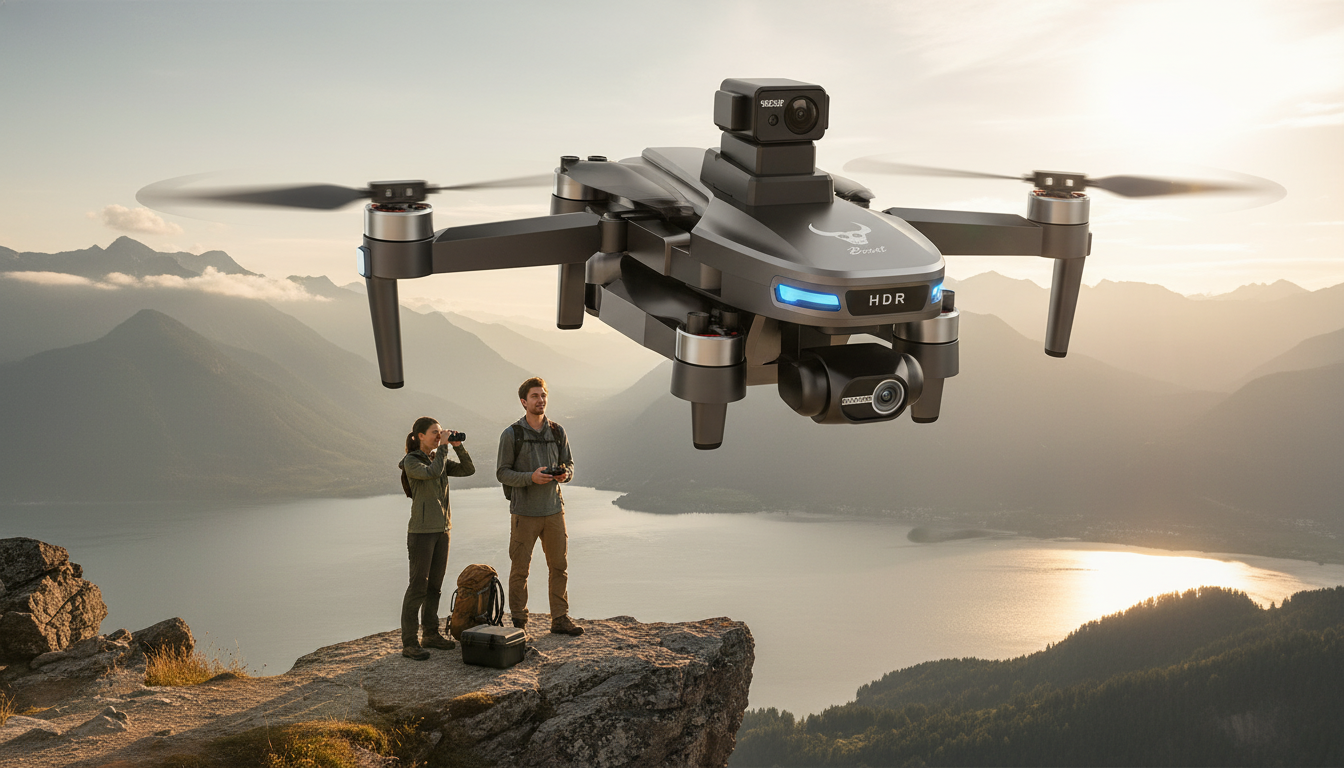
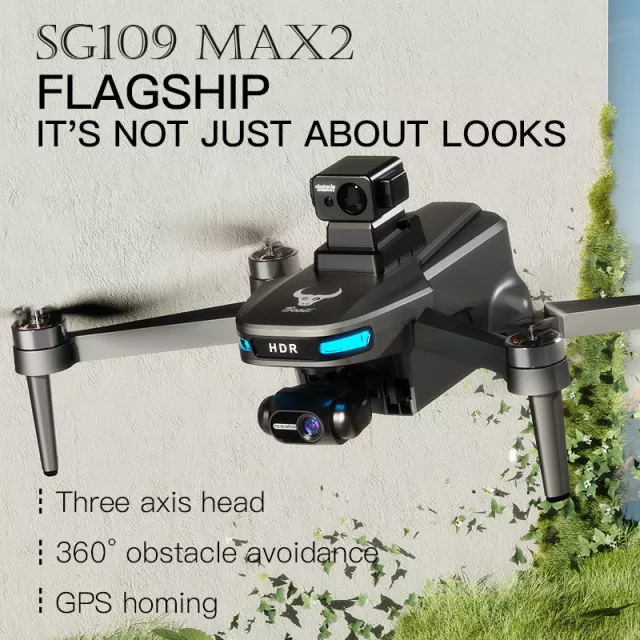
SG109 Max 2 4K FPV Camera Drone with 3-Axis Gimbal & Obstacle Avoidance
A camera drone lives or dies by stability, control, and how confidently it can fly around real-world obstacles. The SG109 Max 2 pairs a 4K FPV view with a 3-axis gimbal and obstacle avoidance to help capture smoother footage while keeping flights more predictable—whether practicing cinematic passes, filming outdoor moments, or building drone skills beyond basic hovering.
What stands out right away
- 3-axis gimbal stabilization designed to reduce shake during movement and wind
- 4K capture with FPV viewing for framing shots while in the air
- Obstacle avoidance intended to help reduce collisions in complex spaces
- Aimed at users who want steadier video than entry-level fixed-camera drones
- Suited for outdoor flights where stable horizons and smooth pans matter
3-axis gimbal: why stabilization changes footage quality
A 3-axis gimbal is one of the biggest separators between “fun to fly” clips and footage that actually feels watchable. Instead of relying only on software smoothing, a mechanical gimbal continuously corrects the camera’s position so the lens stays more level while the drone moves.
- A 3-axis gimbal actively compensates for pitch, roll, and yaw changes to keep the camera level during maneuvers
- Helps maintain a stable horizon during forward flight and gentle turns
- Improves watchability of clips by reducing micro-jitters that show up strongly in wide outdoor scenes
- Supports more cinematic techniques: slow reveal shots, smooth tracking passes, and controlled tilts
- Pairs best with slower stick inputs and steady flight paths for the cleanest results
If smoother results are the priority, treat the gimbal like a partner: fly with a measured pace, avoid abrupt corrections, and let the stabilizer do the fine work. For a general overview of how gimbals stabilize motion, DJI’s gimbal explainer is a helpful reference: https://www.dji.com/gimbal.
FPV control and camera workflow
FPV (first-person view) changes how shots come together. Rather than guessing your framing from the ground, you can line up the subject, refine your altitude, and repeat a flight path until the clip feels clean.
- FPV viewing helps compose shots in real time instead of guessing framing from the ground
- Useful for positioning the subject and managing altitude changes while keeping the camera aligned
- A good FPV workflow: plan the route, set a safe altitude buffer, fly the line once, then repeat for the keeper take
- For clearer footage: avoid rapid yaw spins; use gradual turns and maintain consistent speed
- Consider lighting: early morning and late afternoon can add contrast without harsh highlights
A practical routine that often improves results quickly: record a 10–15 second test clip, land, watch it immediately, then adjust speed and turn radius. Small changes (slower yaw, fewer corrections, steadier altitude) usually show up as a big jump in perceived smoothness.
Obstacle avoidance in everyday flying
Obstacle avoidance can make flights feel less stressful, especially when navigating around trees, fences, and uneven terrain. It’s best viewed as an assist that supports safer decision-making—not an autopilot that removes the need for careful piloting.
- Obstacle avoidance can add a layer of confidence when flying near trees, fences, and uneven terrain
- Works best as an assist rather than a guarantee—thin branches, wires, and reflective surfaces can be challenging for many systems
- A practical approach: keep obstacle avoidance on, but still fly with a conservative buffer distance
- Use wide open areas for early flights; add complexity only after mastering controlled stops and smooth turns
- When filming near people or property, prioritize a safe perimeter and avoid flying directly overhead
Responsible flying also means following local rules and location restrictions. For U.S. recreational guidance, the FAA’s overview is a solid starting point: https://www.faa.gov/uas/recreational_flyers. And if you travel, note that UAS use is restricted in many protected areas, including national parks: https://www.nps.gov/articles/unmanned-aircraft-in-the-national-parks.htm.
Quick spec snapshot
This snapshot focuses on the features most tied to flight confidence and footage smoothness. For exact inclusions and up-to-date package details, rely on the product page listing.
| Feature | What it helps with | Practical tip |
|---|---|---|
| 4K camera + FPV | Framing shots while flying | Do a slow rehearsal pass before recording the final take |
| 3-axis gimbal | Smoother, more level video | Use gentle inputs; let the gimbal do the stabilizing work |
| Obstacle avoidance | Reducing collision risk | Treat as assist; maintain a safety buffer around obstacles |
| Camera drone form factor | Aerial perspectives and motion shots | Fly higher for smoother-looking motion and fewer sudden corrections |
Who it fits (and who should look elsewhere)
Setup and first flights checklist
Care, storage, and long-term reliability
More in our shop
- Mindful Dating Red-Flag Checklist | Printable Dating Checklist for Emotional Safety & Boundaries | Spot Red Flags Early
- Meaningful Conversation Starter Guide | Printable Guide for Dating, Friendship & Networking | Deep Questions & Prompt Examples
- The Income Multiplier Bundle | 4-in-1 Bundle | Multiple Income Streams, Dividend Stocks, Side Hustles & Strategy
FAQ
Does obstacle avoidance prevent all crashes?
No—obstacle avoidance is an assistance feature, not a guarantee. Thin branches, wires, reflective surfaces, and low-light conditions can be difficult for many systems, so keeping a buffer distance and flying conservatively still matters.
What does a 3-axis gimbal do that digital stabilization can’t?
A 3-axis gimbal physically stabilizes the camera in real time across multiple axes, which typically keeps horizons more level and reduces wobble during movement. Digital stabilization can help, but it can’t fully replace mechanical correction—especially when the drone is being pushed by wind or quick control inputs.
How can footage look smoother right away?
Fly slower, avoid fast yaw spins, and hold a steady altitude while you follow a simple, straight path. Record multiple passes, review short test clips between flights, and shoot in softer light (morning or late afternoon) for a cleaner, more cinematic look.















Leave a comment