RGBWW 120W Bi-Color Video Light with App Presets
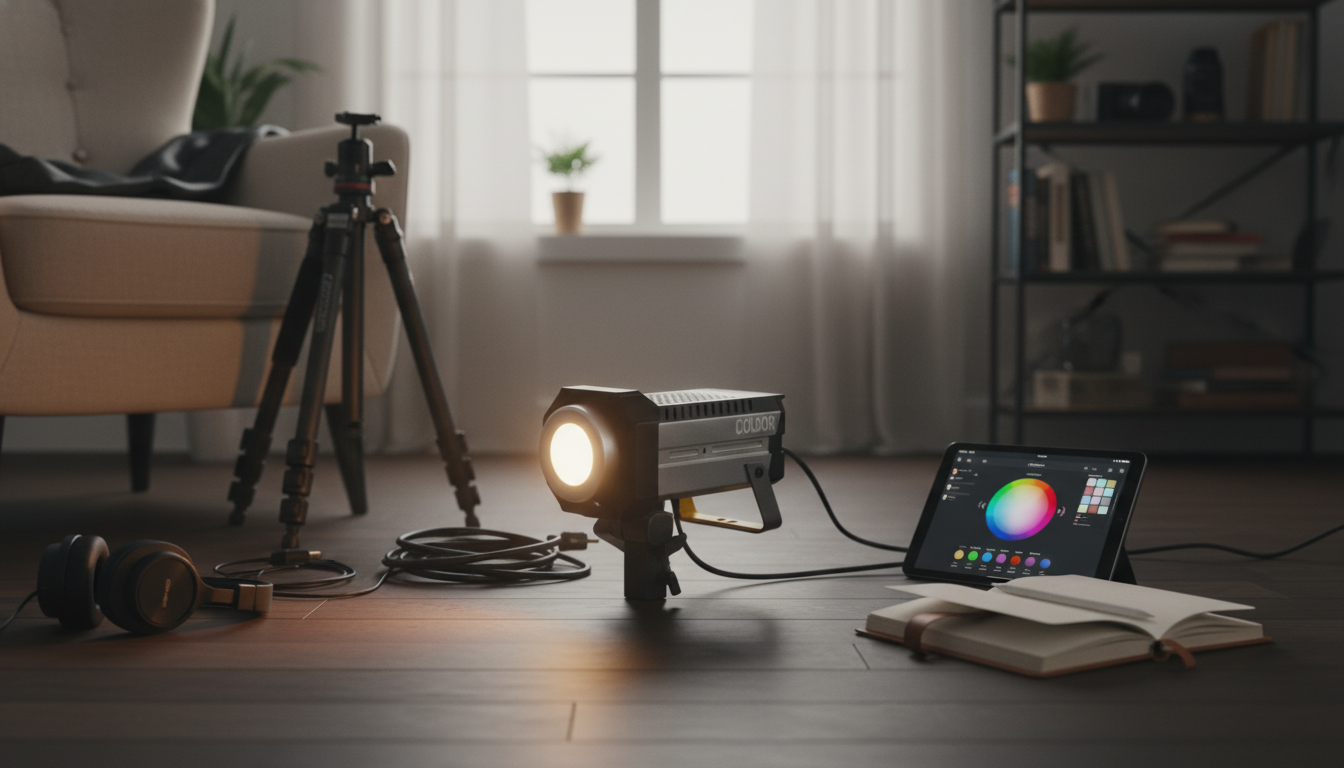
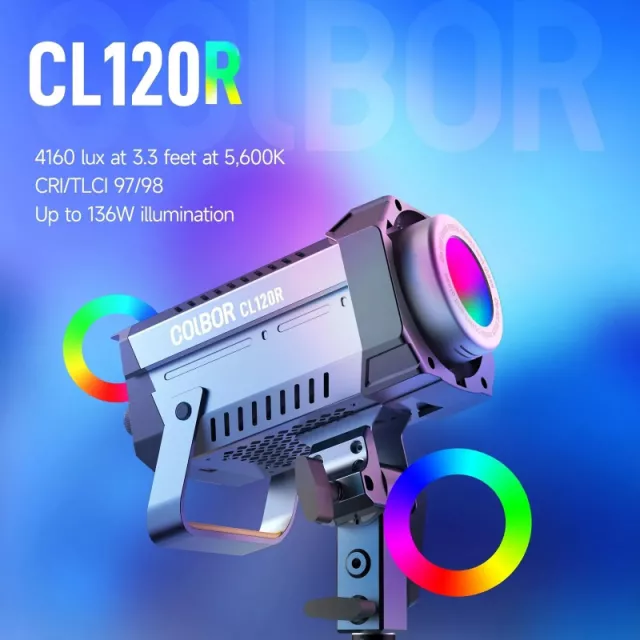
RGB 120W Bi-Color LED Video Light with App Control
A 120W RGBWW video light can cover clean white light for interviews and product work, plus saturated RGB color for accents, backgrounds, and effects. App control adds quick changes from the camera position, repeatable presets, and easier multi-light coordination for small sets. If you’re building a compact kit that still feels “studio-capable,” this combination of output, bi-color tuning, and RGB flexibility is designed to keep you moving without sacrificing consistency on camera.
What This Light Is Built For
- Interviews and talking-head videos that need consistent skin tones and stable output
- Product photography/video where color accuracy and repeatable white balance reduce editing time
- Creative RGB scenes for music videos, streaming setups, and background color washes
- Small studio and home setups where fast adjustments matter more than complex console workflows
For a practical starting point, the RGB 120W Bi-Color LED Video Light with APP Control fits the sweet spot for creators who want one fixture that can handle both “clean commercial” lighting and stylized color looks without swapping lights.
Lighting Quality That Shows Up on Camera
Light that looks fine to the eye can still create problems on a sensor: odd skin tone shifts, inconsistent white balance between takes, or color that feels thin and noisy once it hits your codec. A bi-color RGBWW fixture is designed to minimize those issues while keeping creative options open.
- Bi-color white light helps match common ambient sources (warm indoor practicals to cooler daylight) without gels, so mixed-light rooms are easier to tame.
- RGB + white diodes (RGBWW) can produce richer colors while maintaining stronger white light than RGB-only fixtures, which is helpful when you need both punch and clean whites.
- Smooth dimming makes it easier to fine-tune exposure without changing camera settings, protecting motion cadence and depth of field choices.
- Consistent output across settings supports shot-to-shot continuity during multi-take recordings, especially when you’re returning to a look days later.
For deeper background on how color and rendering are evaluated in imaging pipelines, the CIE (International Commission on Illumination) and SMPTE standards and guidance are solid reference points for understanding the language behind accurate, repeatable color.
App Control: Speed, Presets, and Repeatability
App control isn’t just a convenience feature—it’s a workflow upgrade when your light is boomed out, inside a softbox, or placed behind a product table. The goal is fewer physical adjustments and more repeatable results.
- Change brightness, color temperature, hue, and saturation without touching the fixture
- Save looks as presets for recurring scenes (interview, product table, background accent, hair light)
- Group control supports faster balancing when more than one light is used
- Remote adjustments reduce stand bumps and keep modifiers and angles locked during a shoot
This matters most when you’re dialing subtle differences: lowering a key by a few percent to preserve highlights, nudging a background hue to avoid clashing with wardrobe, or matching a second fixture to the first without walking back and forth.
Quick Specs and What They Mean on Set
Specs only become useful when they translate into on-set choices. A 120W class fixture typically gives you enough headroom to bounce, diffuse, and still keep camera settings comfortable—especially for modern mirrorless cameras and compact studio builds.
Feature Overview
| Feature | What it does | Why it matters |
|---|---|---|
| 120W output class | Provides strong continuous light for video/photo | Helps keep ISO lower and shutter speed/angle in a comfortable range |
| Bi-color white | Adjusts warm-to-cool white balance | Matches room light or daylight without gels and speeds up color consistency |
| RGBWW color engine | Adds hue/saturation control plus dedicated white | Creates vivid color effects while preserving usable white light |
| App control | Remote settings and presets | Faster iteration and repeatable results across shoots |
Practical Setups to Try
- Interview key: Set a neutral white balance, add a soft modifier, and dim until highlights sit just under clipping. Keep the key slightly off-axis for shape, then add gentle fill if needed.
- Product tabletop: Use bi-color to match ambient, then add a subtle RGB rim or background color for separation. This keeps product color honest while still giving the scene a premium “ad” feel.
- Streaming: Keep face light neutral, place an RGB wash on the wall behind, and store both as a preset pair so every session starts consistent.
- Mood scene: Build a three-point look with a neutral key and colored fill/background to keep skin tones natural while the environment carries the color.
If your content includes motion shots, pairing controlled lighting with stable aerial footage can elevate production value fast. For creators expanding into establishing shots and location B-roll, the SG109 Max 2 4K FPV Camera Drone with 3-Axis Gimbal & Obstacle Avoidance is an in-stock option worth considering alongside a lighting upgrade.
Placement, Modifiers, and Power Planning
Care and Consistency Checks
FAQ
What is the difference between bi-color and RGBWW?
Bi-color adjusts only the white light from warm to cool. RGBWW adds full hue/saturation control plus dedicated white LEDs, which helps deliver stronger, cleaner white output compared with RGB-only color mixing.
Does app control replace physical controls?
No—app control mainly adds convenience for remote adjustments, grouping, and presets. Physical controls are still useful for quick changes when a phone or tablet isn’t available.
How far should a 120W video light be from the subject?
A practical starting range is about 3–6 feet for a key light with diffusion, then adjust based on the softness you want and your exposure needs. Move the light first to set intensity and shaping, then dim to fine-tune.









Leave a comment